
Design Like a Pro or a Cat with a Crayon
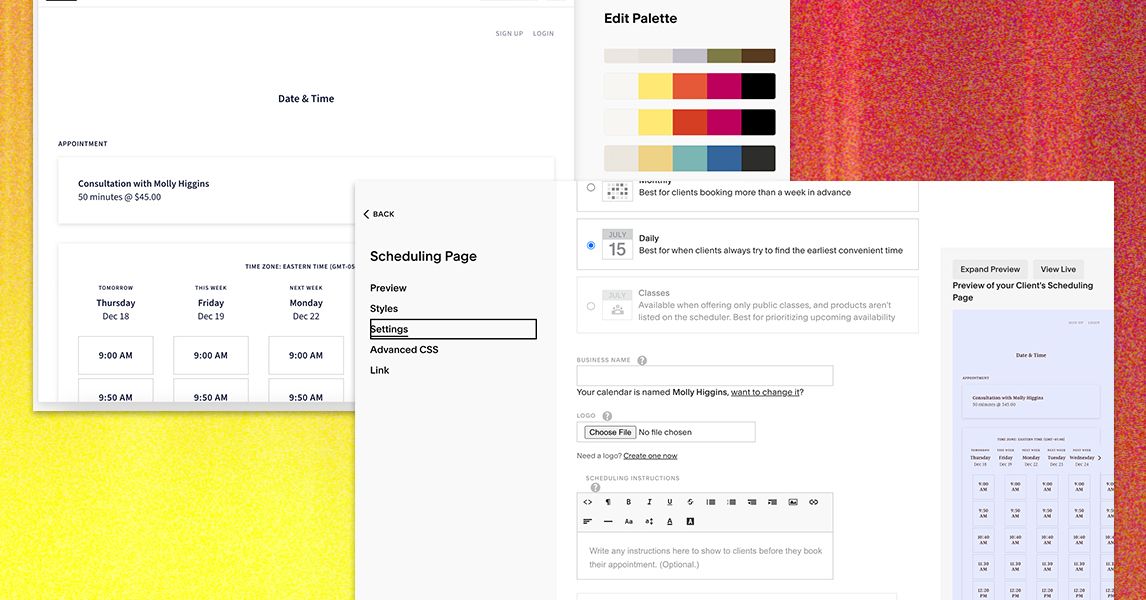
So, you’ve created your precious appointment types and set your calendar availability—congratulations, you’re practically a scheduling wizard! Now, for the grand finale: customizing the design. Acuity has turned this into a fool-proof process, complete with step-by-step instructions that feel like you’re being gently guided by a mentor who has mastered the art of procrastination.
While the design starts as a prefilled template—think IKEA instruction manual but for looks—you have the power to unleash your inner Picasso. Want to make it scream your brand’s name from the rooftops? Change the fonts and colors to your heart’s desire! Choose a delightful premade color palette, or channel your inner artist and create a custom palette from a random color or picture. My personal choice? Something a bit bold and witchy, because who doesn’t want their small business to feel like a scene from Harry Potter?
Plans That Could Make Your Wallet Weep
Once your thrilling seven-day trial comes to a grinding halt (don’t worry, the drama is just beginning), you’ll choose from four plans. Here lies the Starter plan, beginning at a modest $20 per month—essentially the “I don’t want to commit yet” option, and believe me, it comes with all the basics. Think client self-scheduling, and a payment processor to amuse your accountant.
Next up, we have the Standard plan at $34 per month, which is a veritable buffet of extra features. This option throws in up to six bookable calendars, text message reminders, and even allows for gift certificate sales. Because who doesn’t love a good “surprise, you just bought a massage!” moment?
Premium Plan: For Elite Schedulers
Here comes the heavy hitter, the Premium plan at $61 per month. This tier opens the floodgates to every feature you can think of, plus it removes the “Powered by Acuity” line, allowing you to pretend you’re a scheduling genius who magically created this masterpiece. It also includes HIPAA compliance for those who are in the healthcare racket—just in case you’re running a secret doctor’s office on the side.
Worried about the price tag? Don’t fret! Every plan is 20% off if you pay annually—because why not commit financially much like you committed to that gym membership you’re avoiding?
The User Experience: A Test Run
Before unleashing my business to the wild, I decided to soft-launch among friends and colleagues for that oh-so-valuable feedback. Spoiler alert: I was met with a tsunami of approval. Apparently, people found my website visually stunning—a true work of art, akin to a cat’s spontaneous masterpiece on a white wall!
Everyone effortlessly booked, canceled, and rescheduled appointments without my interference—bless their little hearts. Instant email notifications kept me in the loop while they enjoyed the simple pleasure of automated confirmation messages. The catch? I realized too late that my design choices were reminiscent of a teenager’s first MySpace page. I swiftly corrected this by adding my picture—because who doesn’t want to see the mastermind behind this chaos?
A Lesson in Personalization
What did I learn from all this? Personalization is magic. So back to the drawing board—literally! I threw in a fabulous photo of myself, pictures of the services where applicable (yup, even those foot massages), and rolled out a shroud of personality. If my website’s a little more “me,” maybe my clients won’t feel like they’re booking with a corporate robot.
